How to quickly Sell your products
The fastest way to sell on PutForShare is to get your store in front of more people. Every seller has a personal store link, and sharing it widely is the single most effective thing you can do to attract buyers.
Share your personal store link
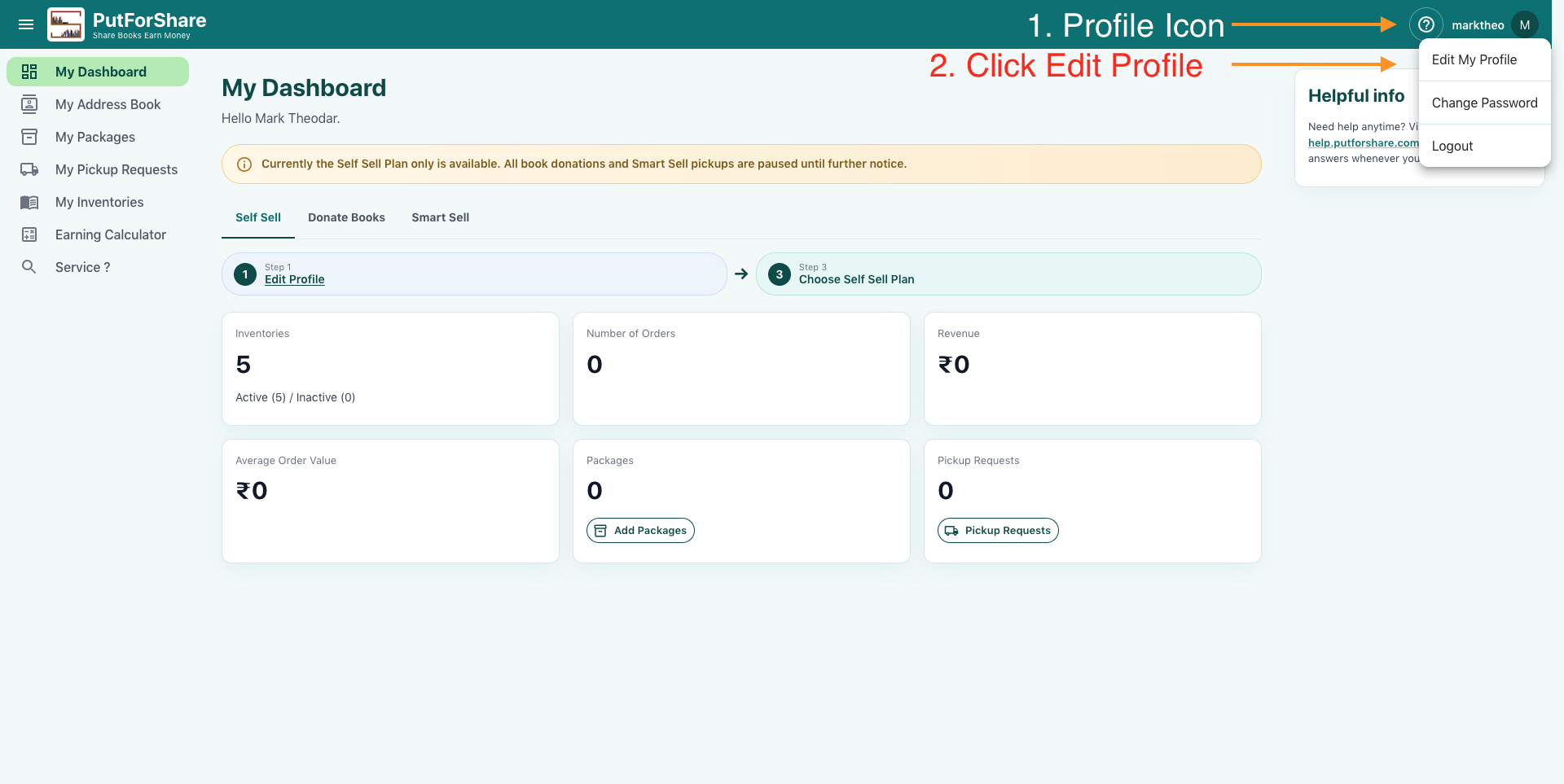
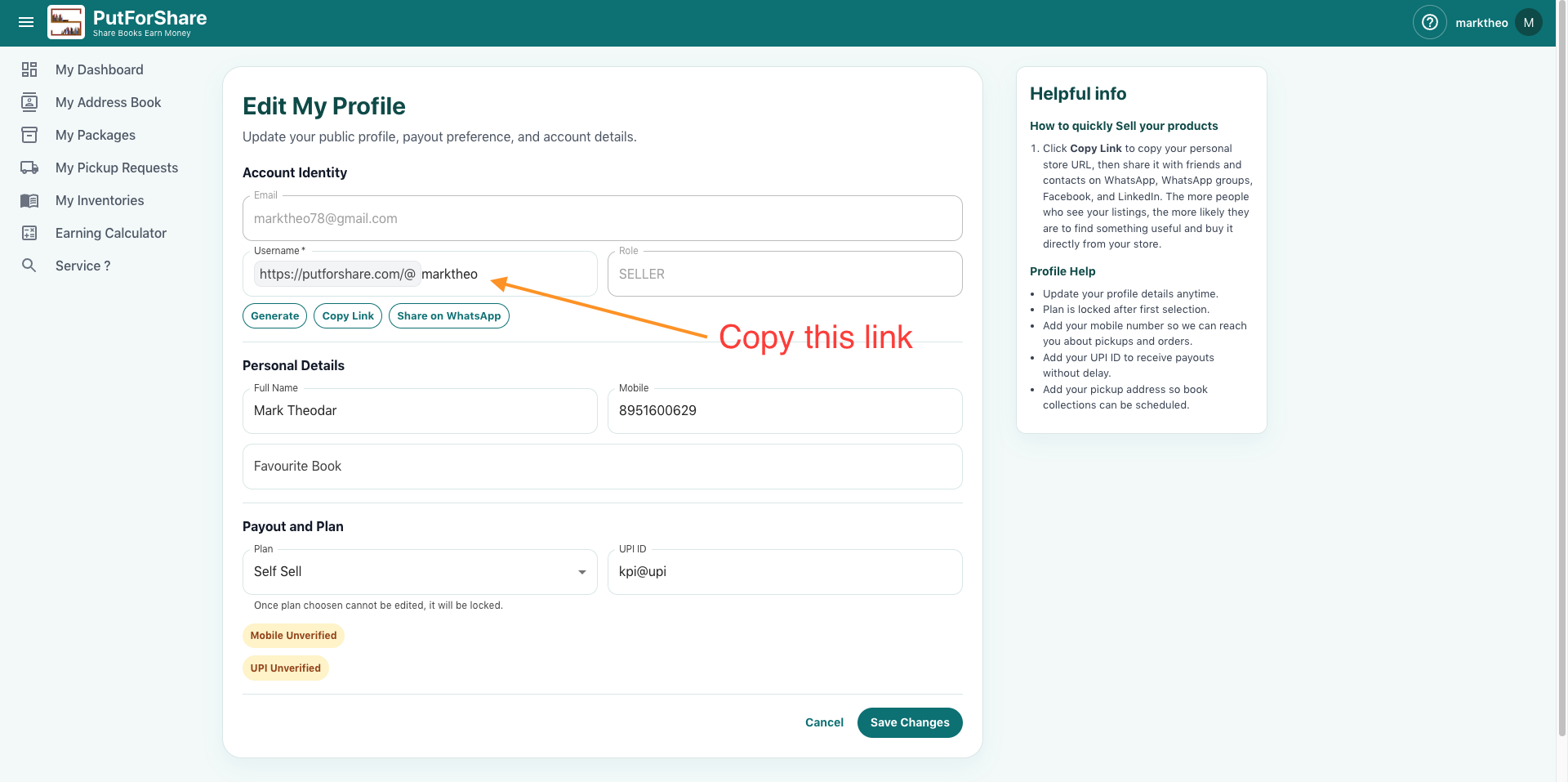
Visit Edit Profile from your Profile Menu icon and click the Copy Link button.
Click Copy Link to copy your personal store URL, then share it with friends and contacts on WhatsApp, WhatsApp groups, Facebook, and LinkedIn. The more people who see your listings, the more likely they are to find something useful and buy it directly from your store.
Where to find your store link
- Go to My Profile → Edit Profile.
- Your personal store link is shown at the top of the page (for example,
https://putforshare.com/@yourusername). - Use Copy Link to copy it, or Share on WhatsApp to share it in one tap.
Where to share it
- WhatsApp — send it to friends and family directly.
- WhatsApp groups — post it in groups where members may be interested in books.
- Facebook — share it on your timeline or in relevant groups.
- LinkedIn — share it with your professional network.
The more you share, the faster you sell
Wider reach means more potential buyers. Sharing your store link regularly across different platforms keeps your listings visible and improves your chances of a sale.